
For crews
A link, not a login.
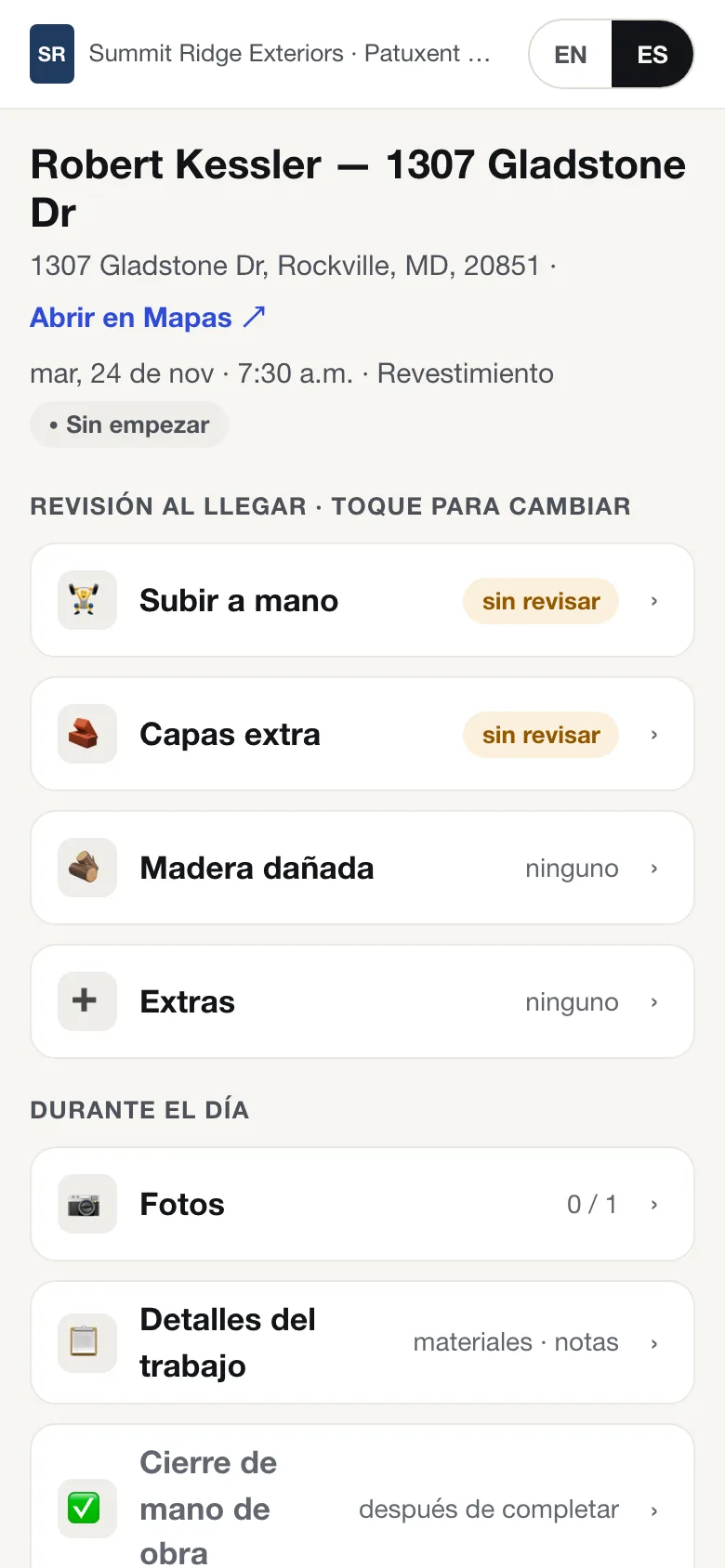
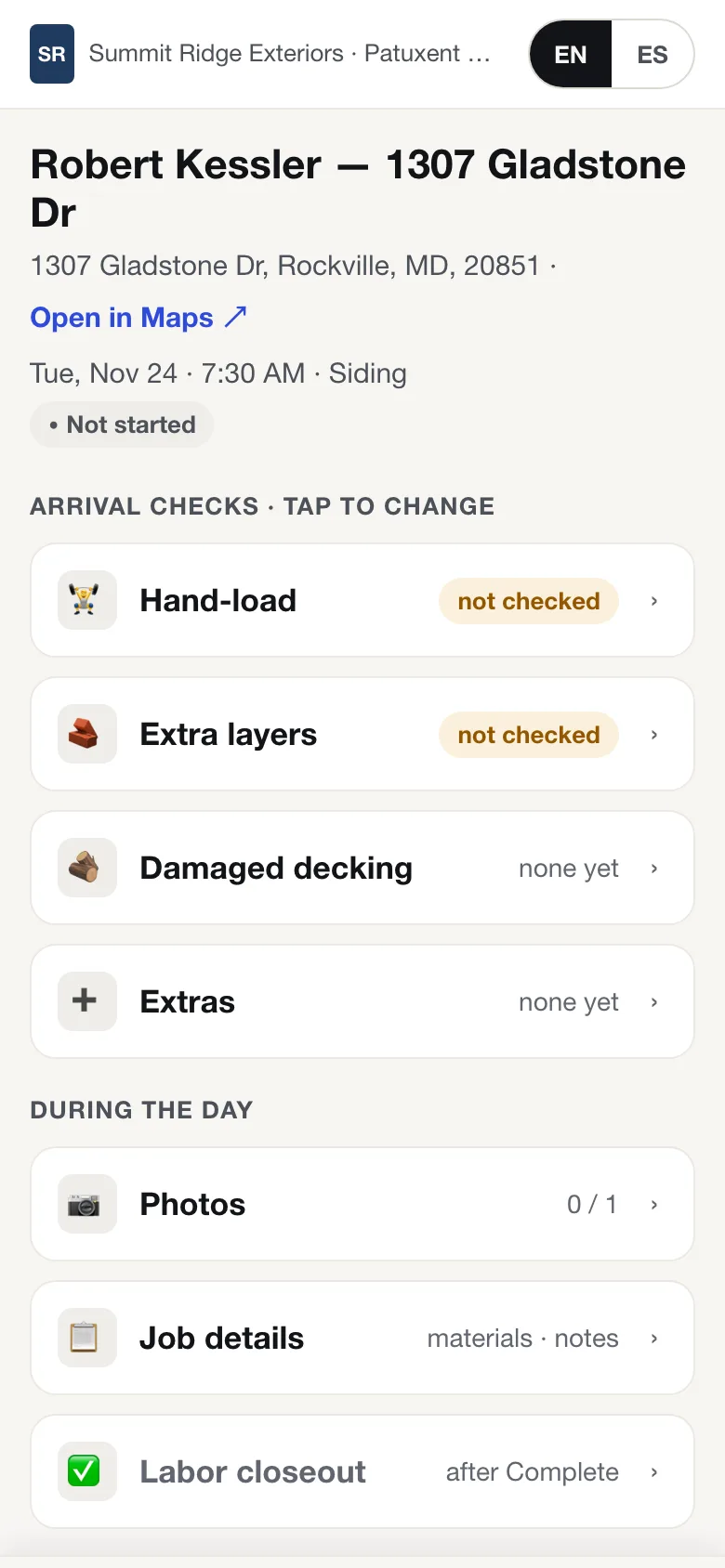
Your crew gets the job by text. They tap the link and they're on the job: address, schedule, work order, what to check on arrival. No app to install, no password to forget.
- English or Spanish, one tap at the top of the page.
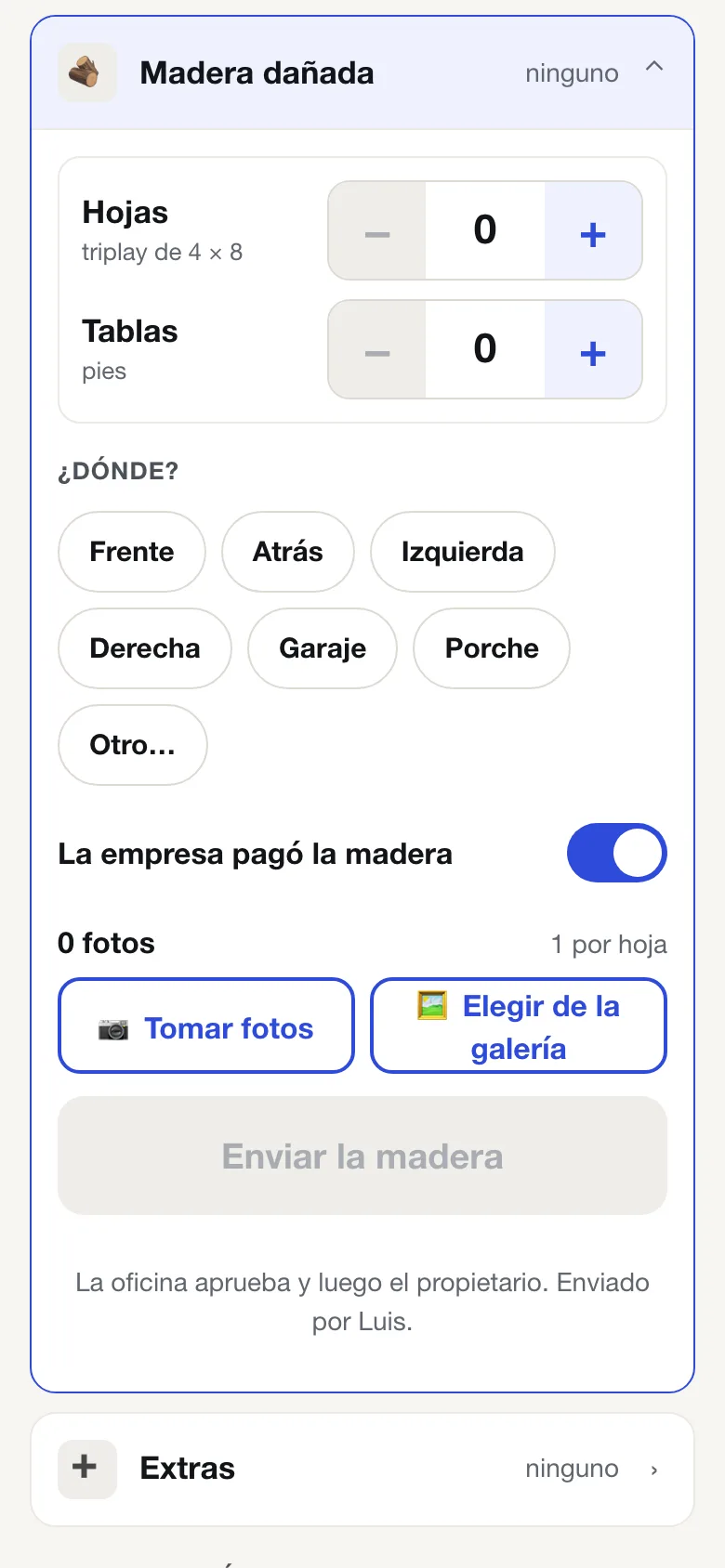
- Photo-first. Big buttons: take photos, or pick them from the gallery.
- Works with bad signal. Taps and photos queue on the phone and send when the signal comes back.
- Their first name once. The phone remembers who's on the job; nothing else to type.
The day on the roof
Start. Check. Report. Complete.
Start the job on arrival
One tap when the crew pulls up. The office sees the job has started, without a phone call.
WhoCrew lead
Arrival checks
Hand-load? Extra layers? Tap the answer. The office sees it right away.
WhoCrew lead
Damaged decking, by the sheet
Count the sheets and boards, say where, add a photo per sheet, send. The office approves, then the homeowner signs and pays the decking change order on their phone while the roof is open. The crew sees the outcome on the same page.
WhoCrew, office, homeowner
Extras and job details
Report extras, see the materials and notes from the office.
WhoCrew lead
Complete with photos
Completion photos, then the labor closeout. Once the office approves the closeout, the crew's pay goes on the pending payouts ledger.
WhoCrew lead, then office
Crew payouts
What each crew is owed, in one place.
Approved labor closeouts post as pending payouts per crew, at your price list for that crew. The office marks them paid. Run the report by crew and pay period, export it as CSV, or send it to the crew.
Axiom never pays anyone automatically.
Founding Contractor pricingEarly access
See one of your own jobs run in Axiom.
Bring a real job: a lead, a signed contract, an install on the calendar. We'll walk it from lead to closed and show you whose move every step is. The first 50 contractors get Axiom Complete for $79 per user per month.Axiom Complete is per user per month, everything included.