
Capabilities
Six pillars. One record.
Everything on this page is in the product now unless it's marked Coming. Insurance Scope Intelligence is a paid Add-on. Nothing here is a mock-up: the screens are Axiom with fictional data.
01
Sales & CRM
From the first call to a signed agreement, on one record the rep runs from their phone.
One record carries the deal through Lead, Opportunity and Prospect, and a manager's approval turns it into a job.
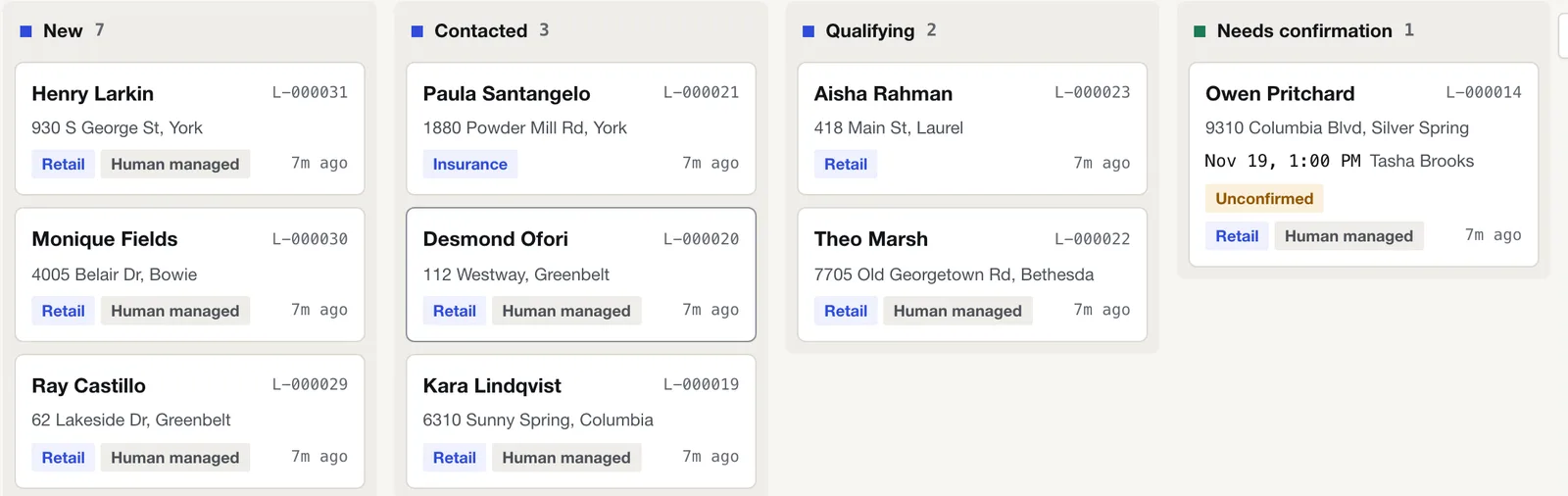
- Lead Inbox. A board of every new lead by stage and source, with lead-provider intake and duplicate flags. Reps see their own leads.
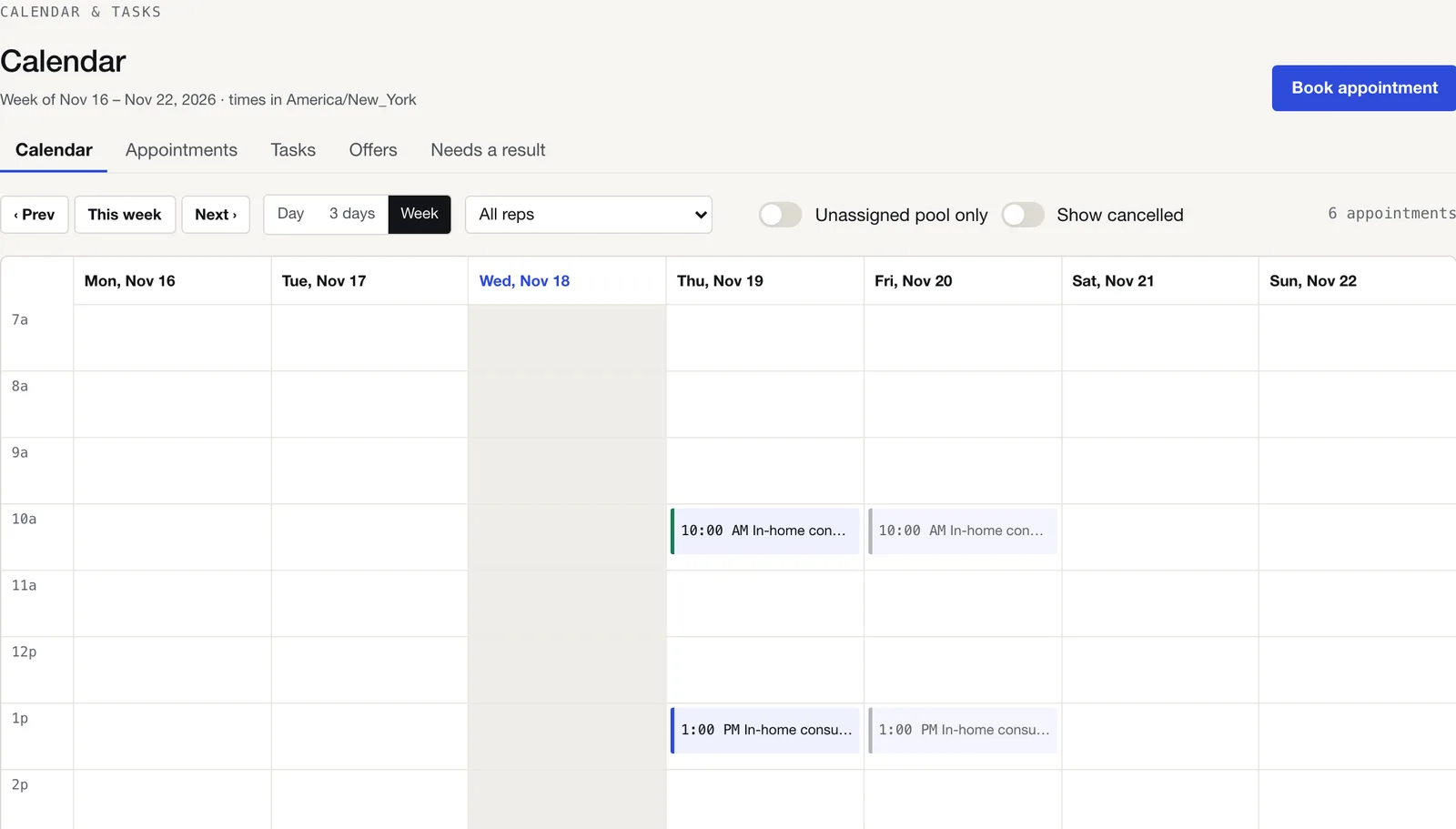
- Booking. Business-hours booking with a rep, Google Places address lookup, a warning when appointments overlap, Google Calendar busy times.
- Opportunities and prospects. Stages per milestone with owners; a signed agreement moves the deal to Prospect; only a manager's approval creates the job.
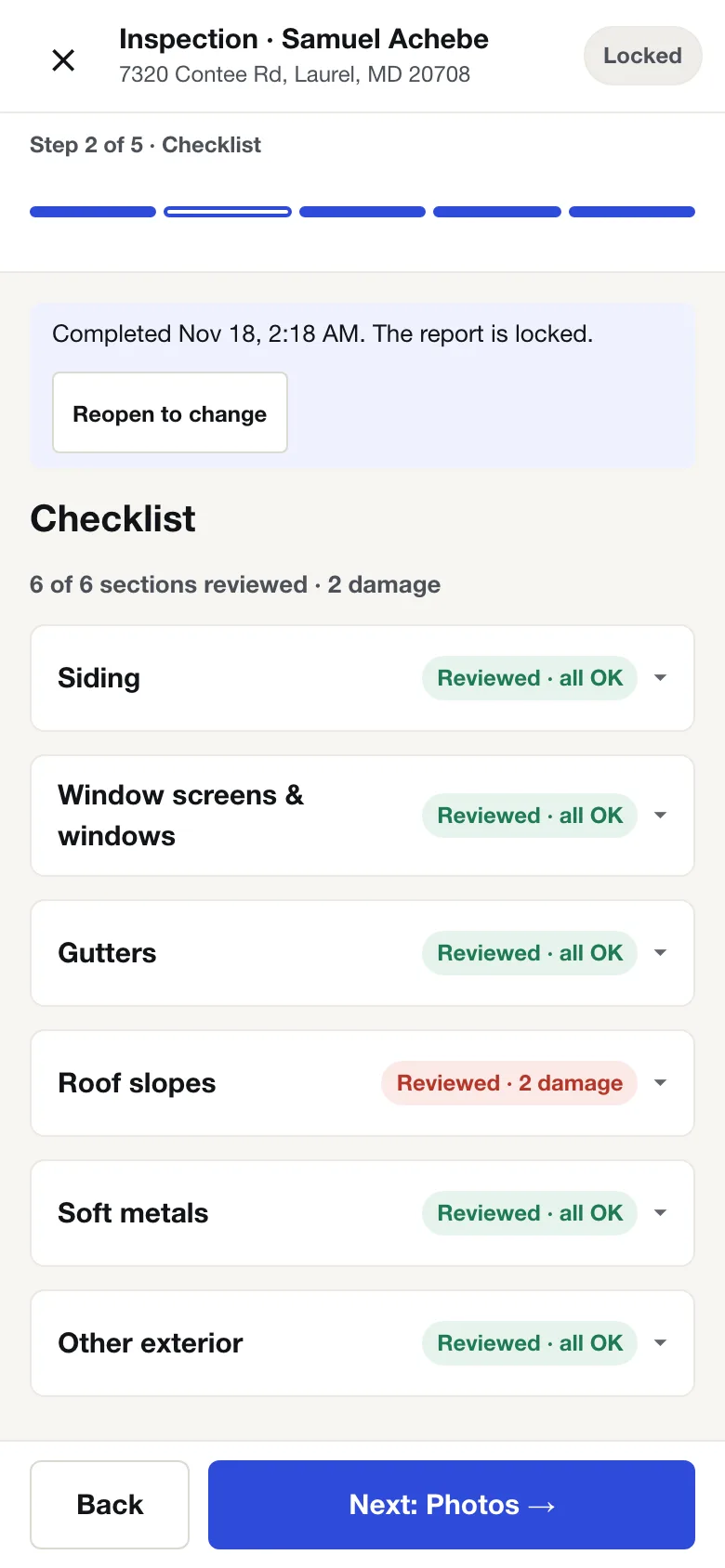
- Inspections that work offline. A five-step wizard (details, checklist, photos, summary, review & send). Answers and photos are saved on the phone and sent when the signal returns. Branded PDF with your logo and the rep's mobile number.
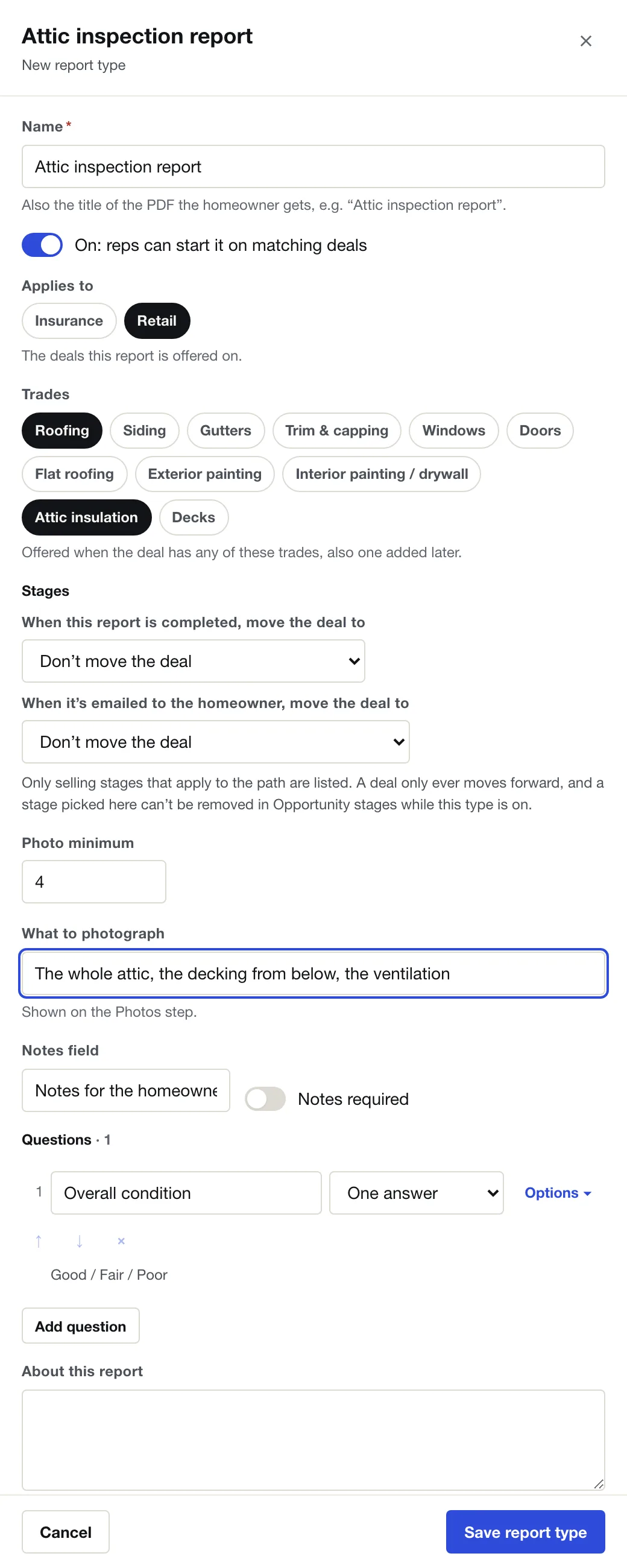
- A report builder. Your own report types: questions, photo minimum, what to photograph, trades, and the stage each one moves the deal to.
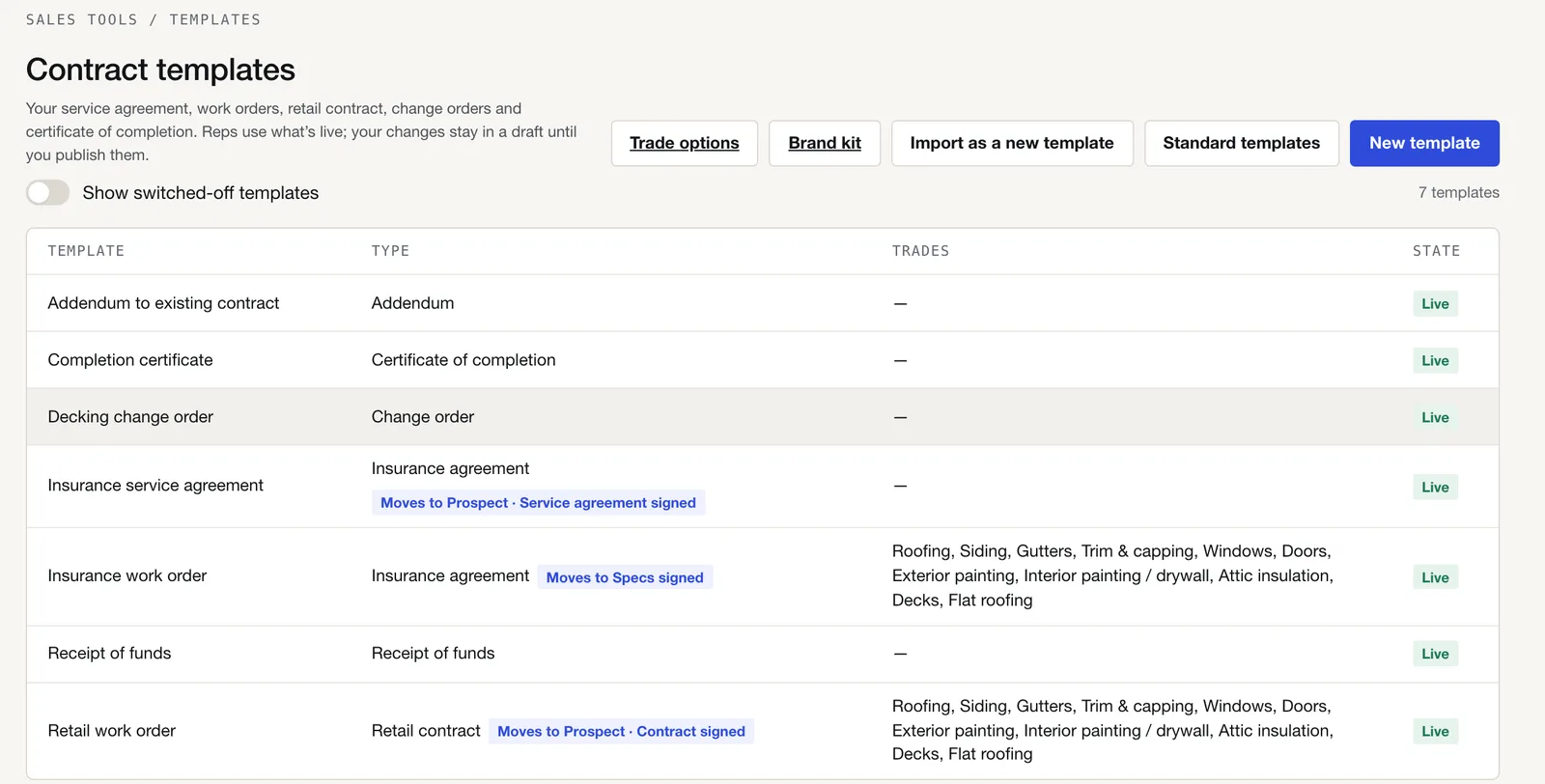
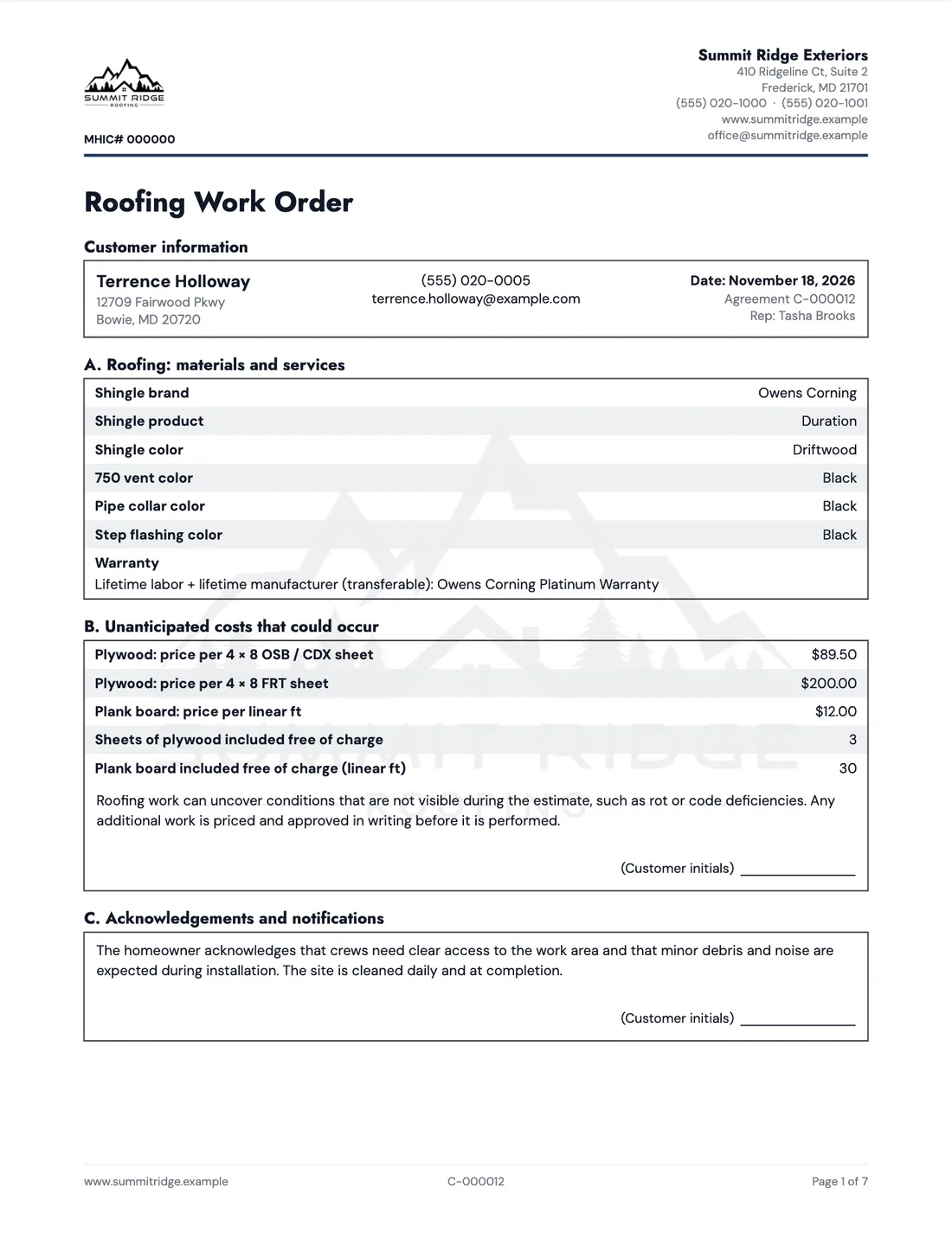
- Estimates with good / better / best options, and Contract Studio: a full set of agreements (insurance service agreement, insurance and retail work orders for 11 trades, decking change order, completion certificate, addendum, receipt of funds) on your letterhead with your prices and trade options. Edit any of them or import your own.
- E-sign by email or text link, or in person with the rep. Typed or drawn signatures, initials where the template asks for them.
- Coming An in-app credit application, packaged for the lender.
02
Production & operations
Measured, ordered, scheduled and closed out, with the crew on a link.
Order from numbers someone actually checked, then run the install from the same record.
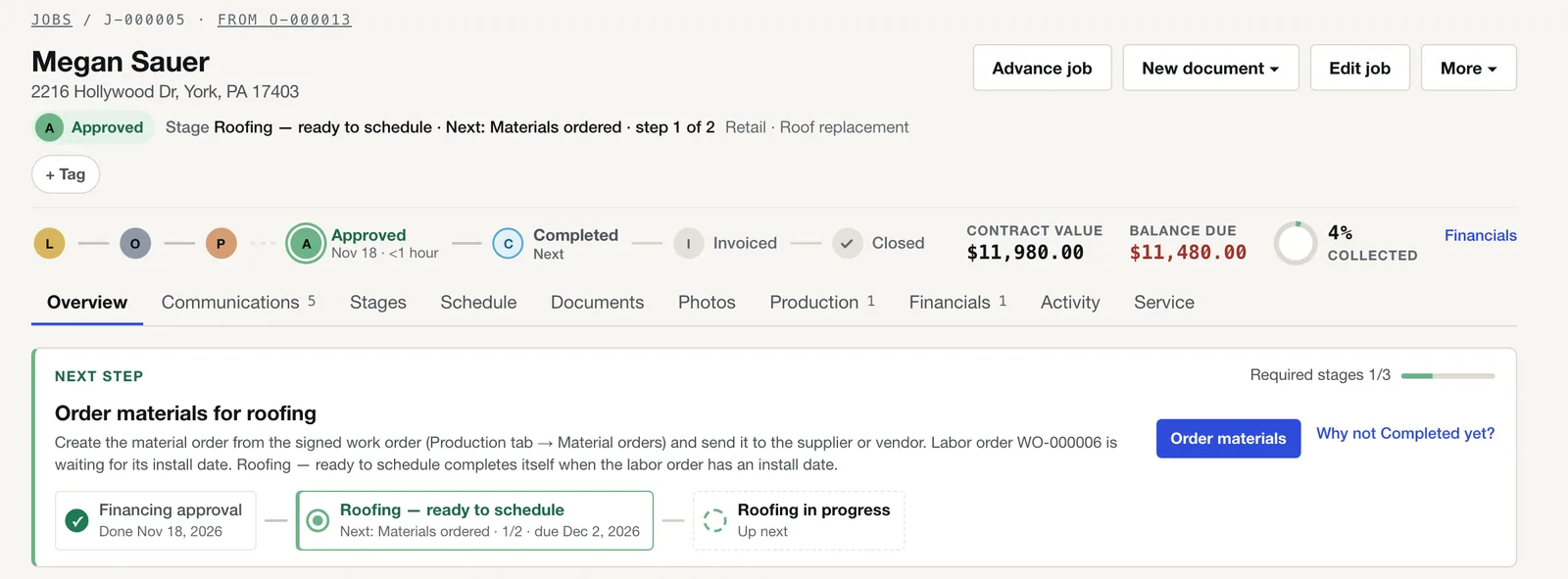
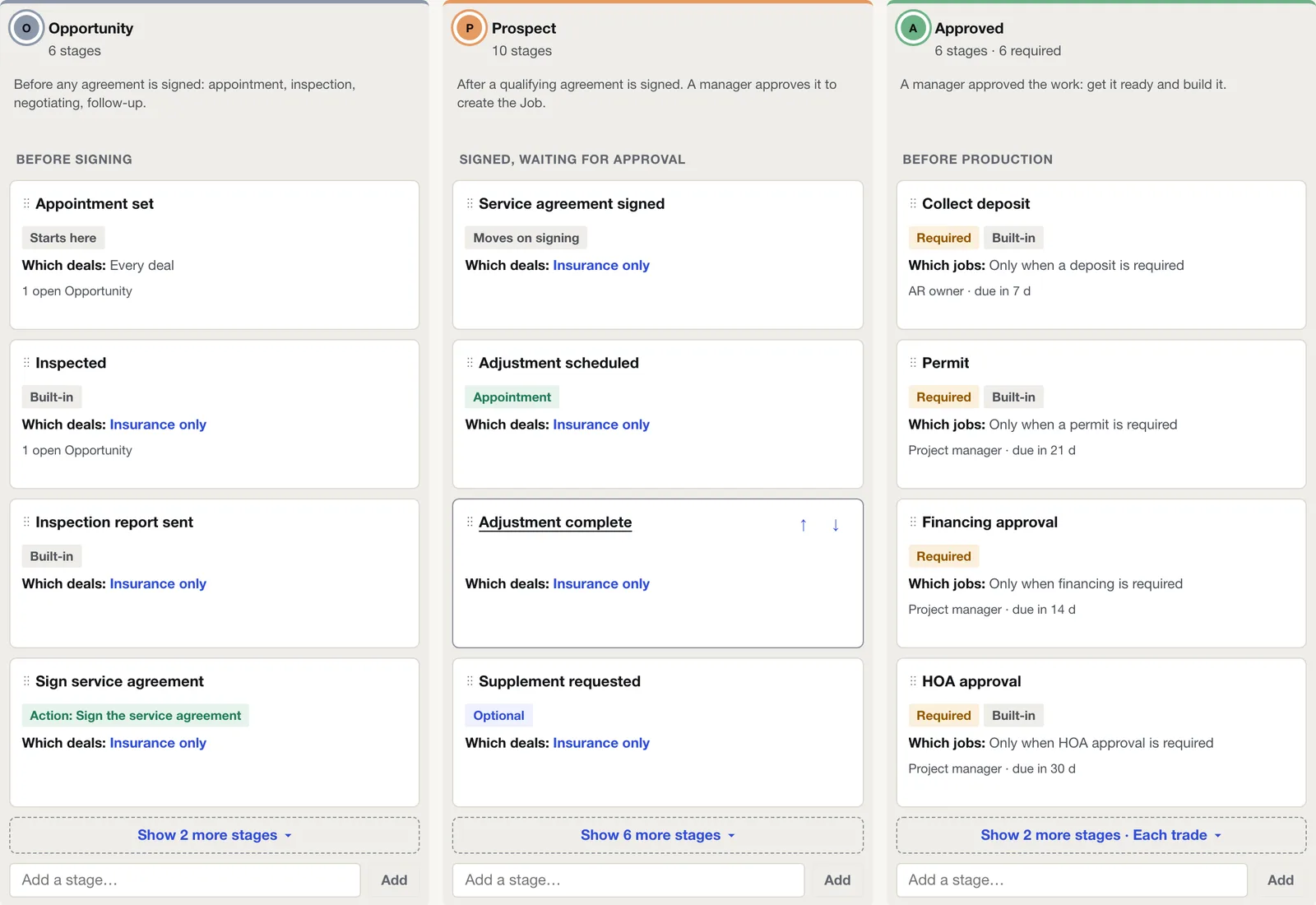
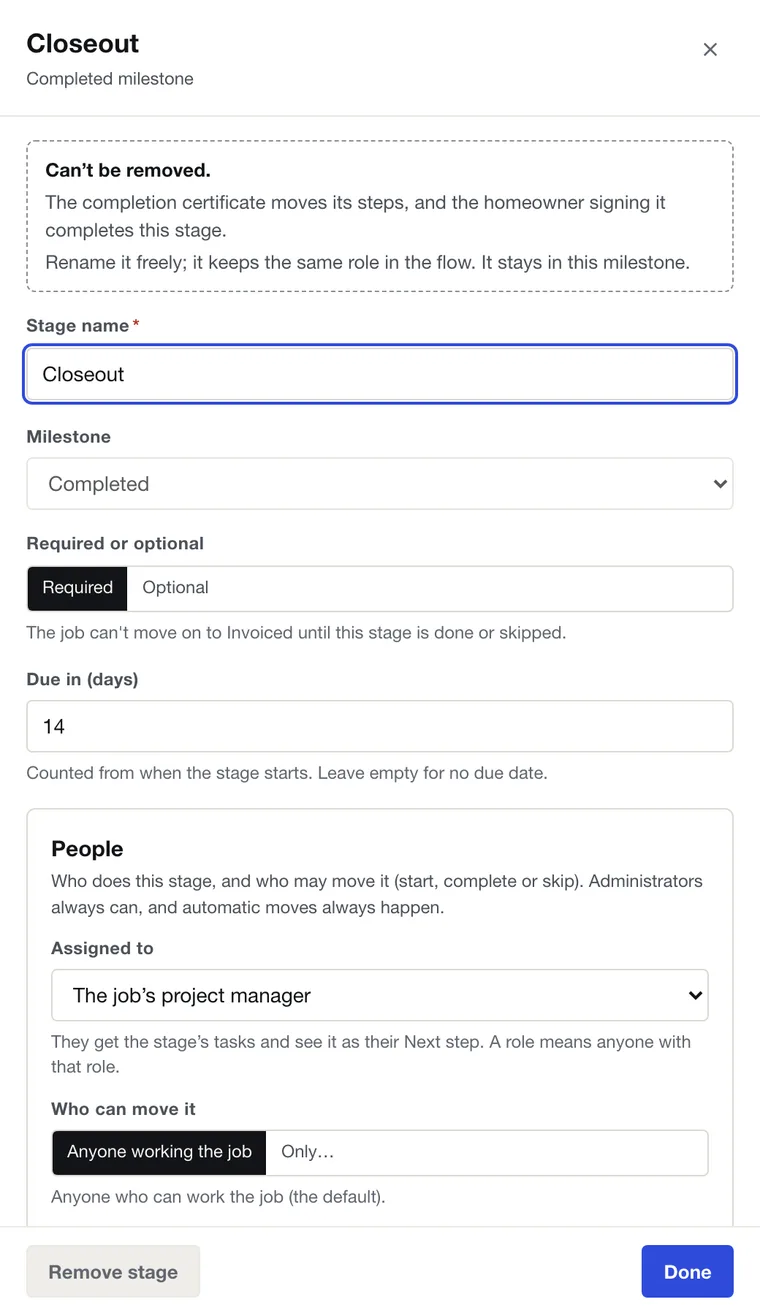
- Stages with owners. A stage editor with a step-by-step wizard; per-trade stages; stages that move on proof; approval gates for HOA, permit and financing that hold material and labor orders until a team member records the approval. Every job can say why it isn't at the next milestone yet.
- EagleView report upload. Axiom reads the report and lays every number out to check against it; edits are kept with who made them. Choose which structures are in the job.
- Material orders from your templates, with quantities from the measurements. The order can't be sent until someone confirms the measurements. Email the supplier, or log a phone order and send the recap.
- Labor orders and the crew scheduler. Drag a labor order onto a crew and day; block crew time; weather holds. The "ready to schedule" stage completes itself when the labor order has an install date.
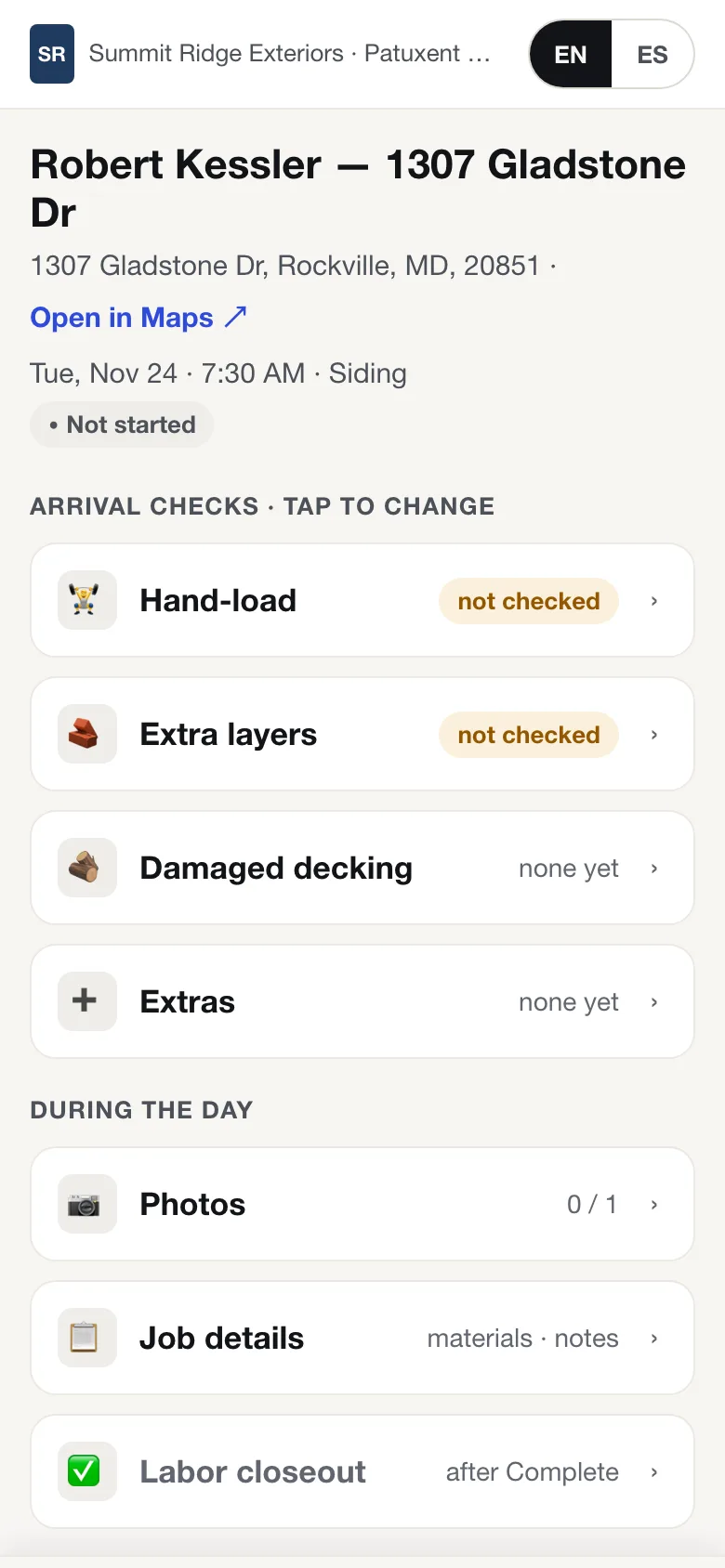
- Crew job links by text, English or Spanish, no login: arrival checks, damaged decking by the sheet with a photo per sheet, extras, completion photos, labor closeout. More on the crew page →
- Photos and documents by job, full-screen viewer, bulk download; a photo report the homeowner can open from a link.
- Closeout: completion photos, punch list, walkthrough, the completion certificate the homeowner signs.
- Warranty and service tickets, with a customer self-service page.
- Coming Ordering EagleView reports from inside Axiom (built, waiting for EagleView's approval) and ordering straight into supplier systems such as ABC Supply.
03
Financial management
Homeowners pay you directly. Commissions and payouts wait for the proof.
One job balance, paid from a link, into your own account.
- Stripe Connect on your own Stripe account. The money goes to you, not through Axiom. Card or bank account on the same pay link.
- One job balance. Pay any amount against it; a signed agreement's first payment is locked to the amount agreed. Deposits, progress and final invoices.
- Processing fees can be passed to the customer on credit cards (never debit), capped at 3%. Off unless you turn it on.
- Financing. Record the lender and its fee per deal; the fee goes to the job cost and no commission is paid on it.
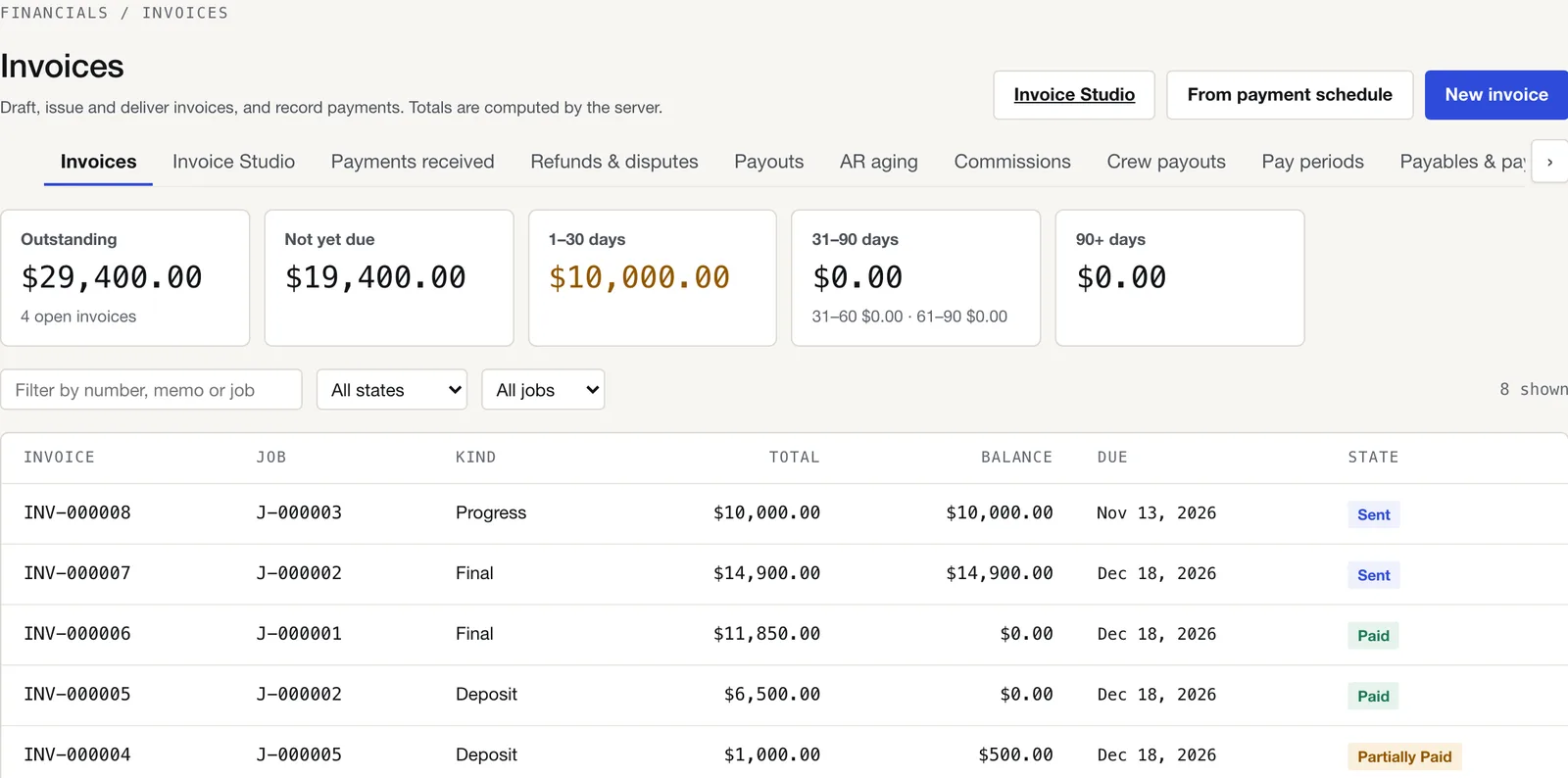
- Invoices, payments received, refunds and disputes, AR aging.
- Commissions. Advance and final, per plan. The final waits for the signed completion certificate and the job paid in full, and someone reviews it before it's paid.
- Crew payouts. Approved labor closeouts post as pending payouts per crew at that crew's price list; the office marks them paid. Report by crew and period, CSV export. Axiom never pays anyone automatically.
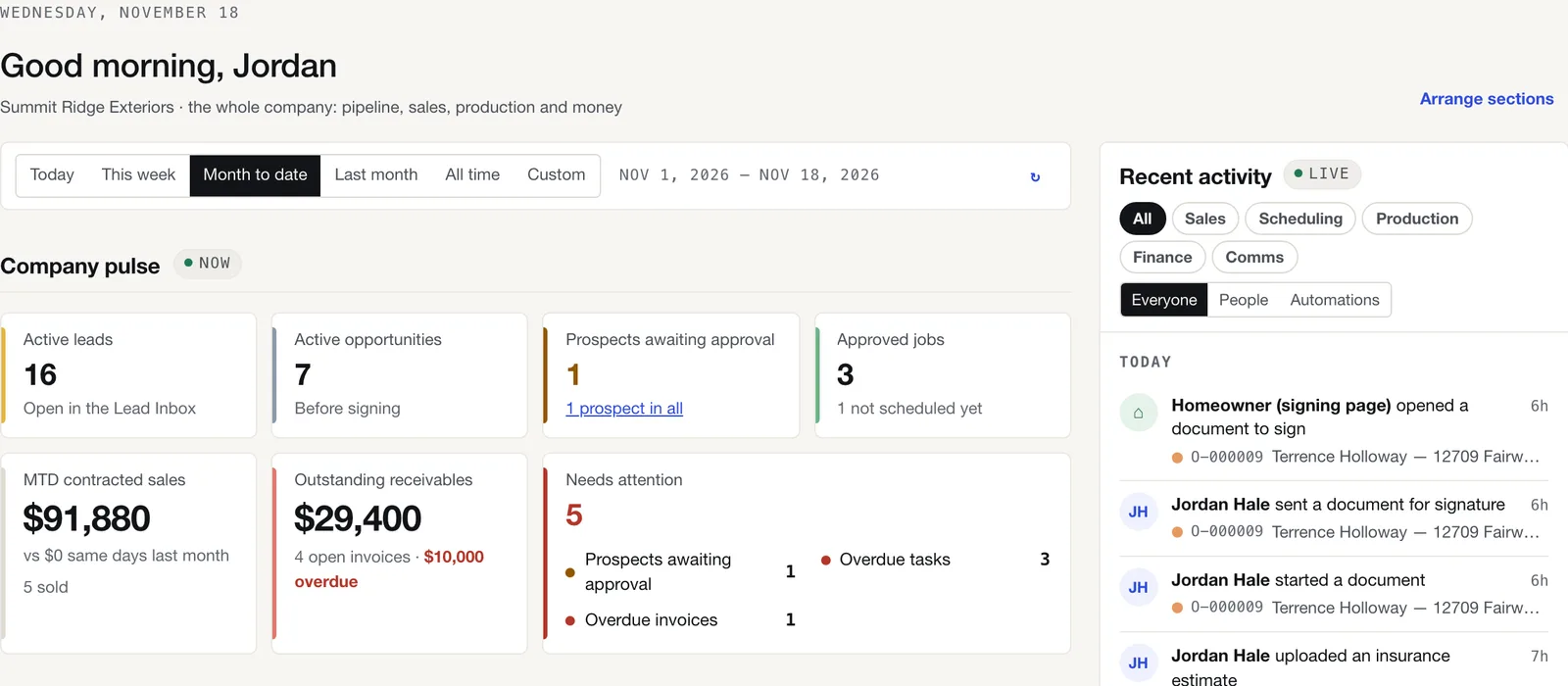
- Job profitability, dashboards and reports; accounting and payroll exports as CSV.
04
Insurance & claims
The inspection, the agreements, and the carrier's estimate read line by line.
Built for restoration work from the first ladder up.
- Insurance inspection report built in: a 60-point exterior checklist with a photo minimum; optionally required before the service agreement.
- Insurance service agreement and insurance work orders for 11 trades, with carrier, claim number, approval amount, deductible and the insurance payment disclosure on the document.
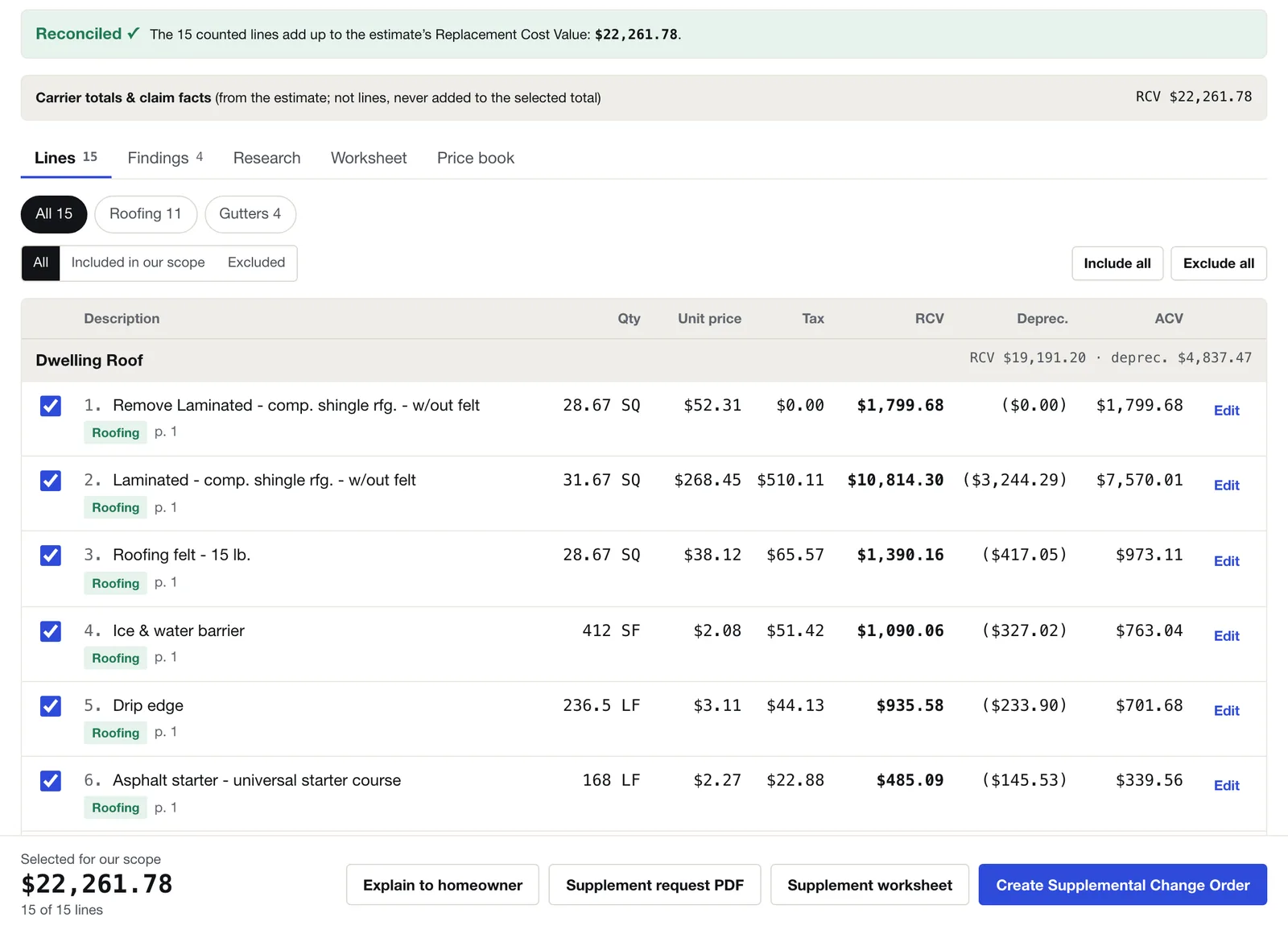
- Add-on Insurance Scope Intelligence. Upload the carrier's estimate; Axiom reads it, reconciles it to the cent, compares revisions, finds supplement items citing the building code for the state and county and Owens Corning installation specs, explains the estimate to the homeowner in plain language, and builds the supplement request and the Supplemental Change Order. AI research is capped per estimate and must cite its sources; money never comes from the AI.
- Supplement workflow as stages on the record: adjustment scheduled, adjustment complete, supplement requested.
05
Automation & intelligence
The job drives itself forward; Rytela and your AI chat take it further.
Ownership and next steps are built in. Automations and the Rytela engine extend them.
- Ownership and next-step tracking. Each stage has someone assigned and a rule for who may move it; that person sees it as their Next step.
- Approval gates for HOA, permit and financing. A gate added after work started flags the job; it never undoes work.
- Automations: tasks, notifications, emails and texts that run when something happens on a lead, Opportunity or job, with time-based sweeps.
- Communications on the record. Email and text from any lead, Opportunity or job; replies stay on the record; consent recorded, STOP and START honored automatically; your own texting number.
- Coming Rytela-powered lead booking. Web and provider leads book themselves around rep calendars, drive time and the weather: no ladder inspections in the rain; the appointment moves to the next good slot so the roof can dry, and the same for snow, by season. Booked leads land on the Lead Inbox for the office to confirm.
- Coming AI-connected workflows. Connect ChatGPT and ask it to do things in Axiom with your permissions: send a customer their proposal, order a roof measurement, email an adjuster, show what the carrier missed on the last scope. Every action in Axiom is defined so an assistant can call it, with a confirmation step for the ones that send, sign or spend.
06
Platform & integrations
One account per company, the right view for each person, and your data always yours.
Built for many companies from day one, with a clean way in and a clean way out.
- One account per company. Your people, your stages, your templates, your texting number and your Stripe account, separate from everyone else's.
- Roles and permissions you can shape to how your company works. Reps are isolated from each other's records; managers see everything. @mentions in notes with notifications.
- Mobile workflows. Axiom runs in the browser and installs to the home screen; nothing to download from an app store.
- Contractor onboarding. A new company starts with the full starter set: stages, contract templates, inspection report types and order templates, ready to edit.
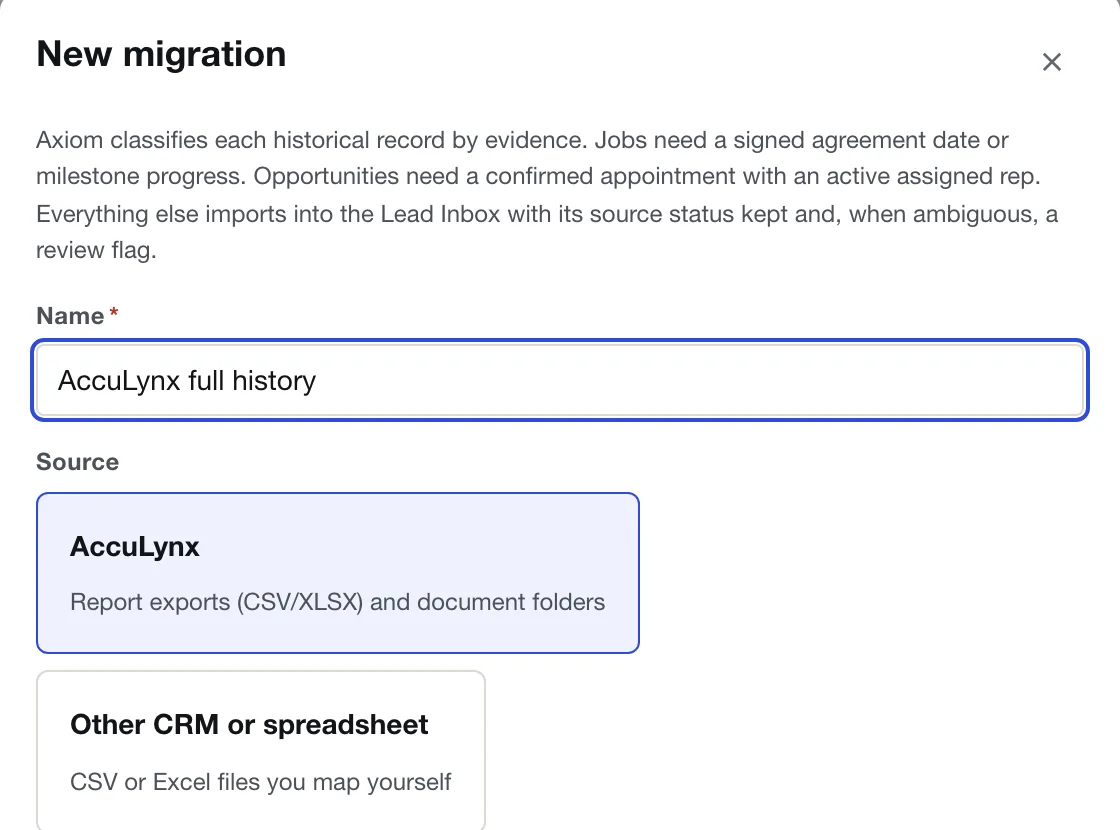
- AccuLynx migration. Jobs, contacts, statuses, documents and photos from your AccuLynx exports, each job at its real milestone, previewed and reviewed before import; re-running updates instead of duplicating. Other CRMs and spreadsheets from CSV or Excel files you map yourself. How the switch works →
- Integrations: Stripe Connect, Google Places and Google Calendar, EagleView report upload, email and texting through registered providers.
- Your data is yours. Every record is reachable through Axiom's API, and if you leave you take everything. Coming a one-click per-job export package (record, documents and photos together).
Founding Contractor pricingEarly access
See one of your own jobs run in Axiom.
Bring a real job: a lead, a signed contract, an install on the calendar. We'll walk it from lead to closed and show you whose move every step is. The first 50 contractors get Axiom Complete for $79 per user per month.Axiom Complete is per user per month, everything included.